top of page
SplitandChill.com
NF Household Verification
Follow EXACTLY as written below
Step 1)
-
On Mobile or Laptop go to https://inboxes.com
-
Click on " Get my first inbox "
-
Here enter the " Verification Receiving Email Address " that we had sent you on WhatsApp or Email.
Step 2)
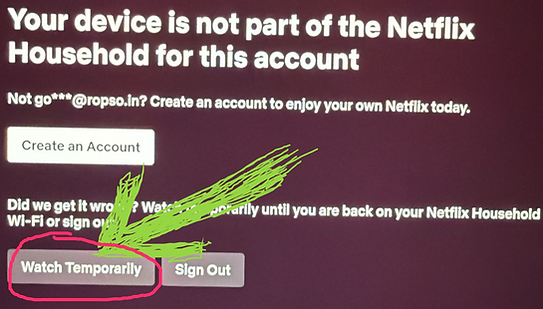
Click on error screen to receive email as shown below
On TV,
On Laptop , Mobile etc
Step 3)
-
Now again go back to https://inboxes.com
-
Click on the latest (top most) email received.
-
Open email and click on "Yes, this was me"
Same process to get Temporary Access Code if asked by Netflix
====================
Screenshot looks like this


bottom of page